
Related News


Folding software battle: Galaxy Z Fold 8 vs iPhone Duo
Posted by - support -
on - 2 hours ago -
Filed in - Technology -
-
13 Views - 0 Comments - 0 Likes - 0 Reviews
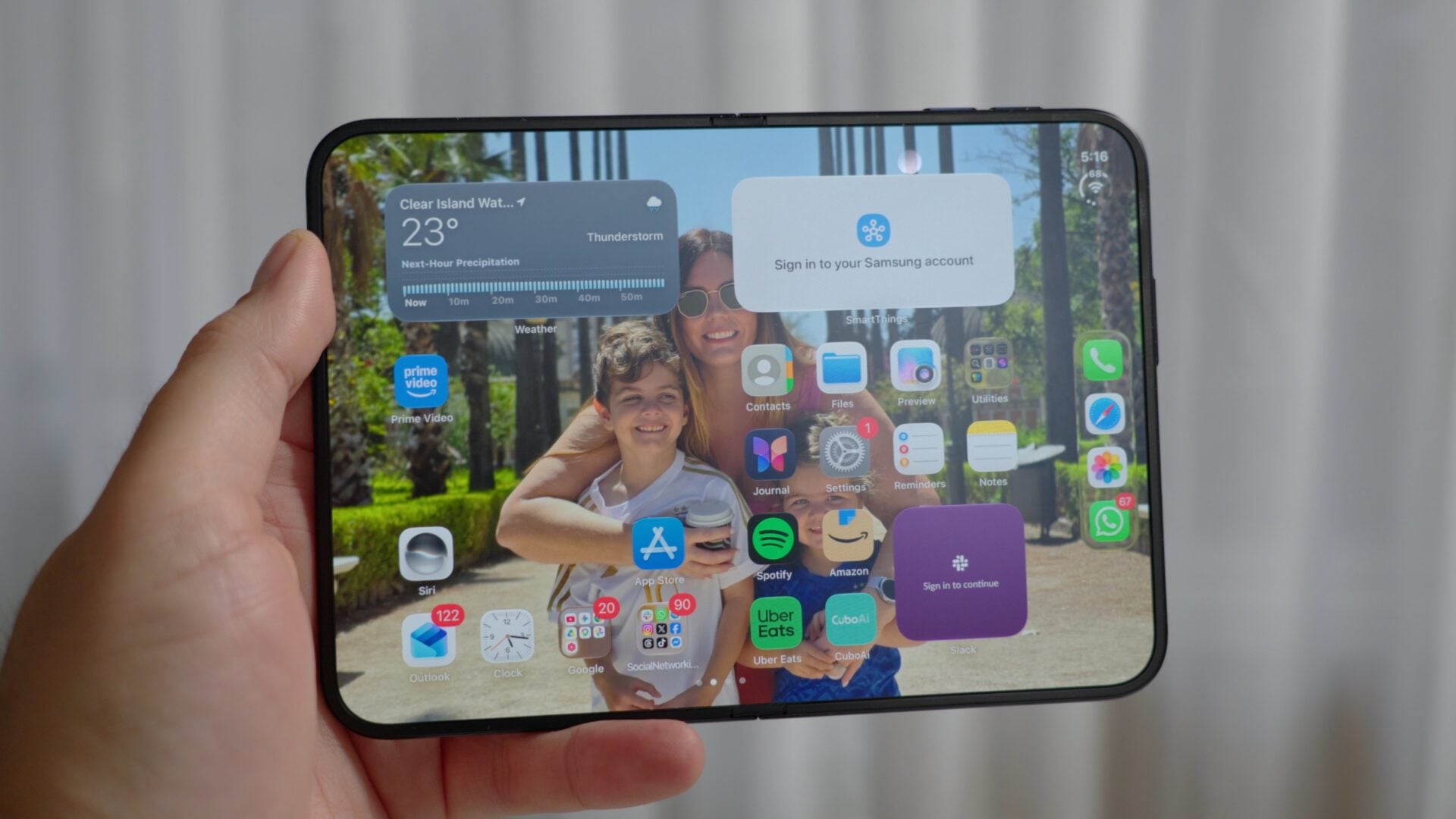
Samsung has spent seven years developing foldable phones and the software that runs on them. Apple is making its first attempt with the iPhone Duo, and comparing the two reveals some very different ideas about how a folding phone should work.
The biggest differences appear on the inner screen. Samsung gives you plenty of control over the layout, multitasking, and what happens when you close the phone. Apple keeps things much simpler, sometimes to the point of making the larger screen less useful than it could be.
Neither gets everything right. The Galaxy Z Fold 8âs missing Flex Mode is a particularly frustrating omission. But across most of the software experience, Samsungâs head start shows.
Samsung lets you set up each screen separately
We found the iPhone Duoâs fingerprint unlocking frustrating during testing. Apple has added a delay between pressing the power button and the phone unlocking so that users have time to check out the lock screen, but if you don't want it, you cannot turn off the delay.
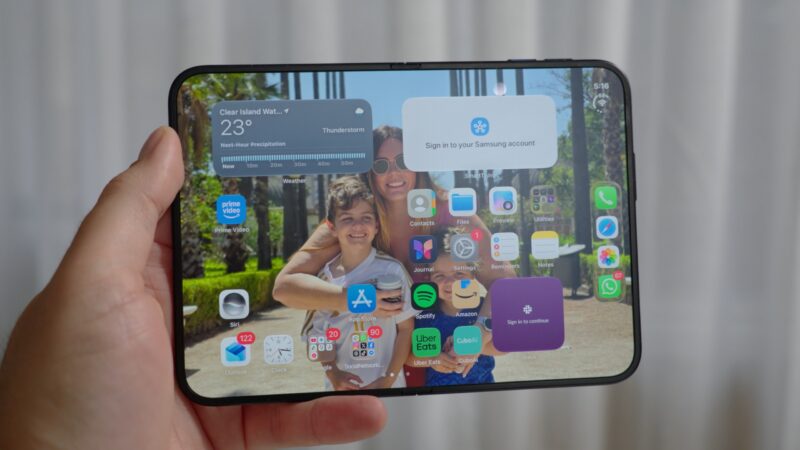
Once you get past that, its Home screen layout gives you another reason to wish for more options. The arrangement on the cover screen is mirrored on the inner display. You canât give the two screens separate layouts, even though you may use them for different things.
Apple also limits each Home screen section to four app icons across, while the dock holds four apps. We couldnât find settings to change those limits.
The Galaxy Z Fold 8 (and Samsung foldables in general) gives you a choice. You can enable cover screen mirroring if you want a consistent layout across both displays, or turn it off and arrange each screen separately.
That means you can keep the cover screen simple while putting more apps and widgets on the larger inner display.
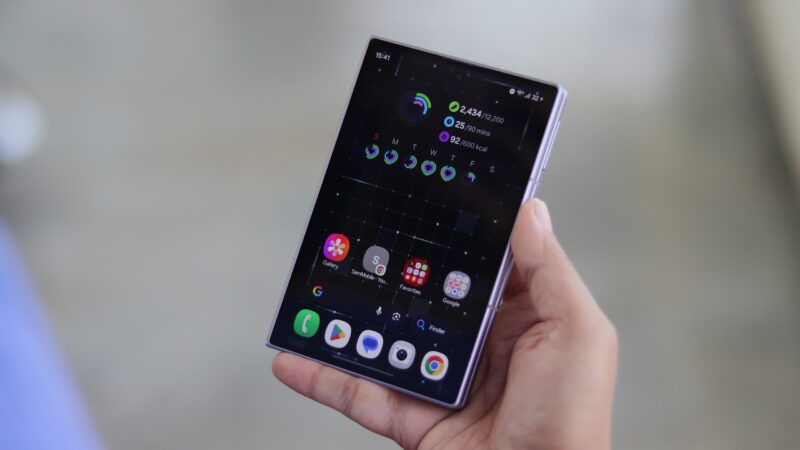
Samsungâs regular Home screen settings let you adjust the Home and Apps screen grids. Good Lockâs Home Up module takes this further, with more control over grid density and how many apps you can fit into the dock.
You also get more flexibility over the taskbar arrangement. Samsung lets you make better use of the extra space instead of sticking to the same layout you use outside.
Some people will prefer mirroring. The Samsung advantage is that you get to decide.
Samsungâs taskbar is always accessible
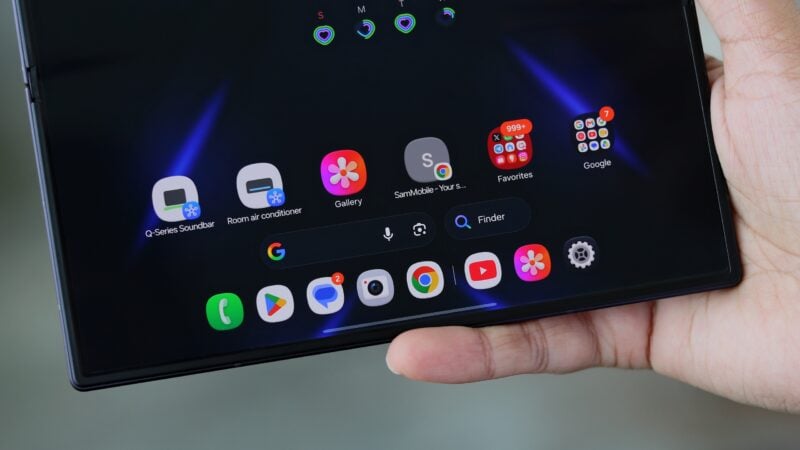
The Fold 8âs taskbar makes its inner screen feel more like a tablet. You can bring it up while an app is open and use it to switch apps or start multitasking. Thereâs no need to return to the Home screen whenever you want to pick something from it.
The iPhone Duo puts its dock on the right side of the unfolded Home screen. It holds four apps, but opening an app makes the dock disappear.
We couldnât bring it back over the app, so accessing those dock shortcuts meant returning home. That makes the dock less useful than its position on the big screen might suggest.
Itâs also a surprising limitation from Apple. The company already has years of iPad software development to draw on, including a dock that works while youâre using apps. That experience hasnât fully carried over to the Duo.
The iPhone Duoâs multitasking has strict limits
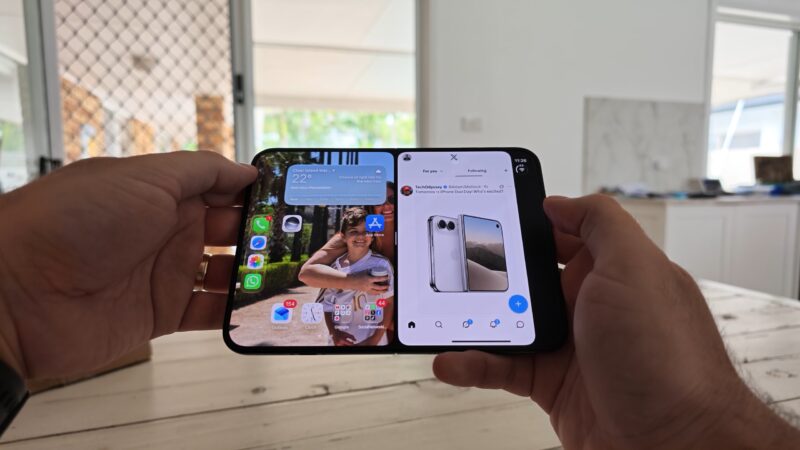
Getting two apps next to each other on the Duo is simple enough. Move an app to one side, then open another in the space beside it.
The result feels a little like having an iPhone app on each half of the screen. Thatâs easy to understand, but you soon run into restrictions.
We opened X and Notes together to try it. Once both were in place, we couldnât give either app more room. Dragging the divider made it snap back to the middle, leaving an equal split.
You can swap the apps around, but you canât freely change their proportions.
Rotating that app pair into portrait was another problem. The split-screen arrangement disappeared instead of adapting to the new orientation.
There also wasnât a dedicated multitasking or productivity settings menu where we could change this behavior. Apple gives you a basic two-app layout, with little control over how it works.
For quick tasks, that may be enough. For anyone hoping to use the inner screen as a more flexible workspace, it feels limited.
The Fold 8 gives you more ways to multitask
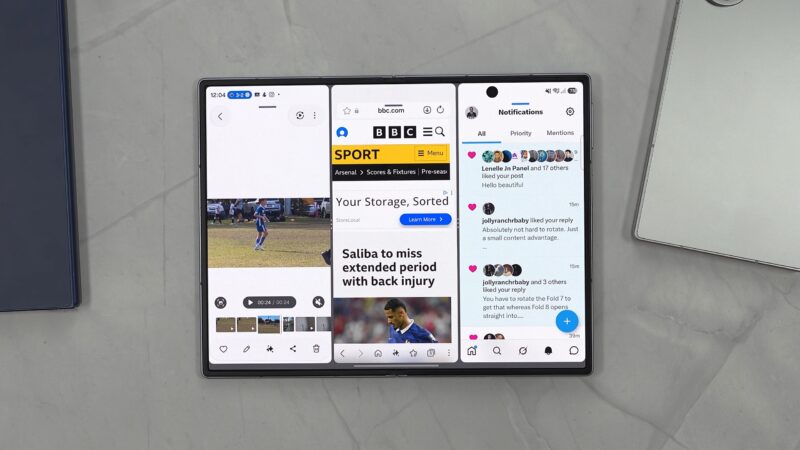
Samsung gives you more control over how multitasking works.
The Labs settings in Settings > Advanced features include controls for app aspect ratios and an option to allow Multi Window for apps that donât officially support it. Thereâs also a dedicated Multi Window menu for choosing how you launch and use the feature.
You can start app combinations through the taskbar or Edge panels. The Fold 8 supports three apps together, and you can drag the dividers to give each one more or less space.
You can also open a fourth app in a pop-up window that you can move around the screen.
Samsung provides controls for moving apps around and changing the split-screen layout, too. You donât have to close everything and start again just to rearrange your workspace.
Rotating into portrait keeps the multitasking arrangement active. The apps remain available, and you can continue adjusting their positions.
Good Lock adds more options through MultiStar. Its Multi Focus feature can keep two videos playing at once, something the Duo didnât offer in our testing.
Then thereâs Samsung DeX, which gives the Fold 8 another way to provide a more desktop-like workspace when connected to an external screen. You wonât necessarily use every option, but Samsung gives you the freedom to find a setup that works for you.
Flex Mode exposes problems on both phones
This is where Samsungâs advantage becomes harder to defend, because the Fold 8 doesnât support native Flex Mode.
Its hinge can hold the phone partly open at certain positions, but the software doesnât provide the expected half-folded experience.
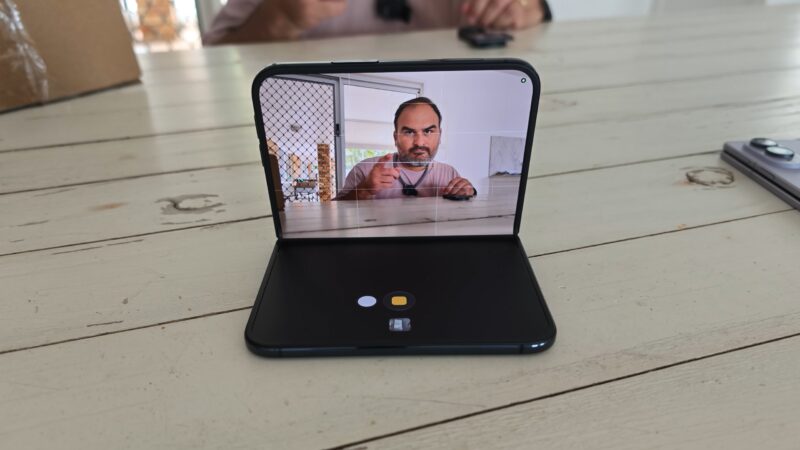
For example, opening Netflix and bending the phone doesnât automatically move the video to the upper half and put controls below it.
There is a workaround. We opened Netflix in the upper part of a split-screen layout, then put Gallery underneath it with a plain black photo displayed.
At a position where the hinge could hold itself up, this gave us something resembling Flex Mode viewing. But there were no playback controls on the lower half. It was an improvised way to position the video.
The iPhone Duo supports partially folded layouts, although its behavior was inconsistent in our testing.
Bending it while YouTube was already playing full screen didnât always produce the layout we wanted. We could get the video into the upper portion, but YouTube didnât provide a proper set of controls underneath.
Small changes to the folding angle could also make the Duo switch to its cover screen. We then had to reopen it and return to what we were doing.
Samsung has a useful fallback for apps without their own half-folded layout: the Flex Mode panel. The Flex Mode panel offers a touchpad, along with shortcuts for things like screenshots, screen recorder, display brightness, volume, and Multi Window model. You can enable it for individual apps or bring it up through an onscreen button.
However, Flex Mode panel is only available on the Fold 8 Ultra and previous Galaxy Z Fold models. It doesnât solve the standard Fold 8âs missing native support, and Apple doesnât offer an equivalent general-purpose panel.
Closing the phone works very differently
Apple has put some effort into making the move between screens look interesting. The Duo uses a glass-like animation when an app moves from the cover screen to the inner display or back again.
It looks good when it works. Our first attempts didnât trigger the expected transition, although it worked after we switched to a different app.
The bigger issue is the lack of control over what closing the phone does. You may want an app to continue on the cover screen. At other times, closing the phone means youâre finished and want it to lock. We couldnât find a built-in setting on the Duo to choose between those behaviors.
There are workarounds using the Shortcuts app, Apple's equivalent of Samsung's Modes and Routines feature, but you have to set up that behavior yourself.
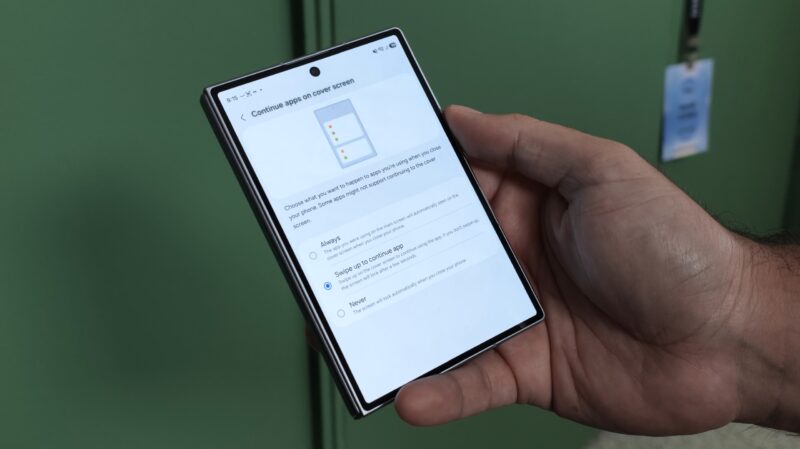
Samsung doesnât have Appleâs flashy transition animation. But it does have a straightforward Settings > Display > Continue apps on cover screen menu with three choices:
- Always: Keep using the app on the cover screen after closing the phone.
- Swipe up to continue: Close the phone, then swipe up on the cover screen if you want to resume the app.
- Never: Closing the phone ends the interaction and locks it.
The middle option is particularly useful. You can carry on when you want to, or leave the phone alone and let it lock if youâre finished.
Samsungâs experience with foldable shows
The iPhone Duo has some attractive software touches, but its restrictions become obvious when you compare it with the Fold 8.
Separate Home screen layouts, an accessible taskbar, adjustable app sizes when running multiple apps at once, portrait multitasking, and simple closing behavior all make Samsungâs larger screen more useful. Good Lock and DeX add even more options.
Appleâs limitations are especially surprising given how much work it has already done on iPad multitasking and productivity.
Samsung still deserves criticism for leaving native Flex Mode off the Fold 8. Thatâs a significant gap in an otherwise much more flexible software experience.
For iPhone owners considering their first foldable, the Duo offers a familiar way to try one. But if getting more out of the folding screen is the priority, the Fold 8 gives them plenty of reasons to consider switching.


 Loading ...

 update is now live)